


Get Started with Thermostats


Get Started with Sensors and Low Voltage




Get Started with Wall Keypads


Get Started with Insteon Hubs

Get Started with LED Bulbs


Get Started with Plug-in Devices


Get Started with Starter Kits
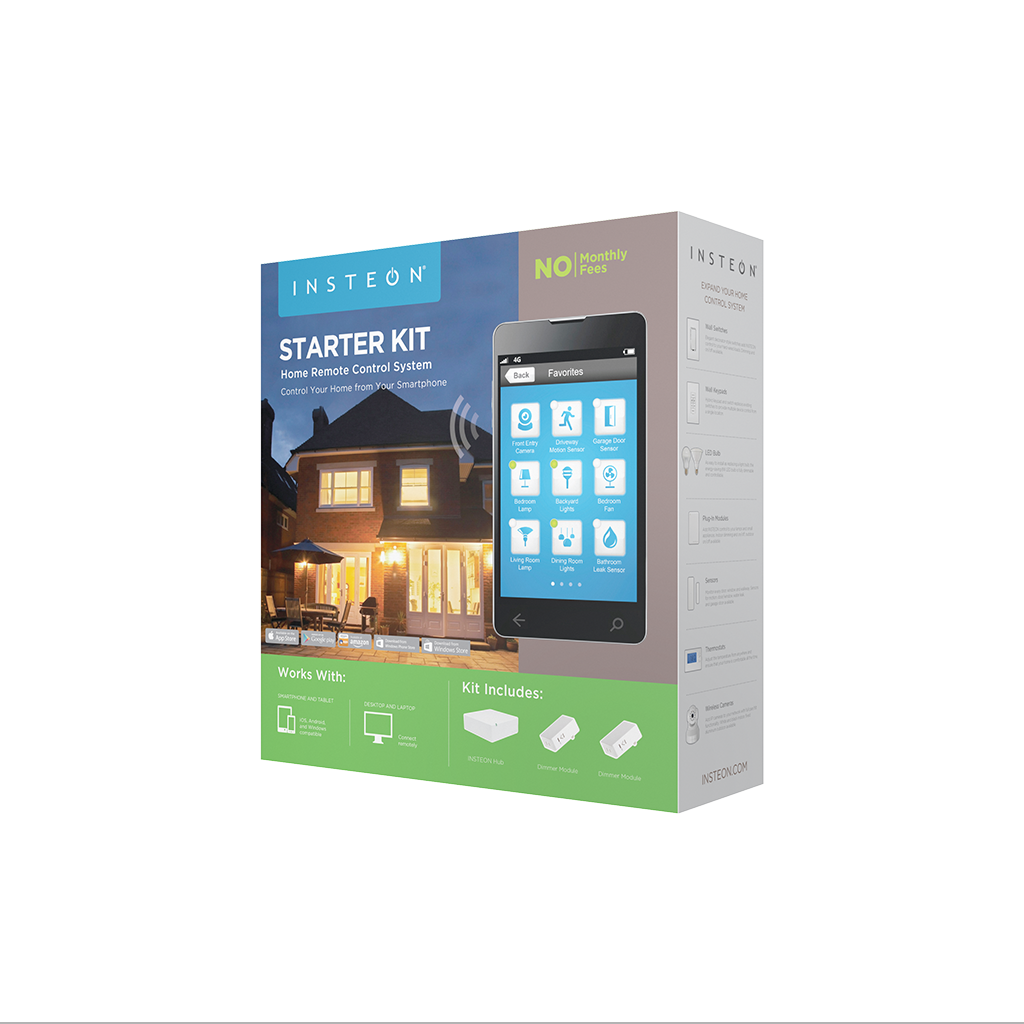


All Starter Kits
Featured


Get Started with Home Lighting Controls
Open/Close Micro Module - Quick Start Guide

On/Off Micro Module - Quick Start Guide
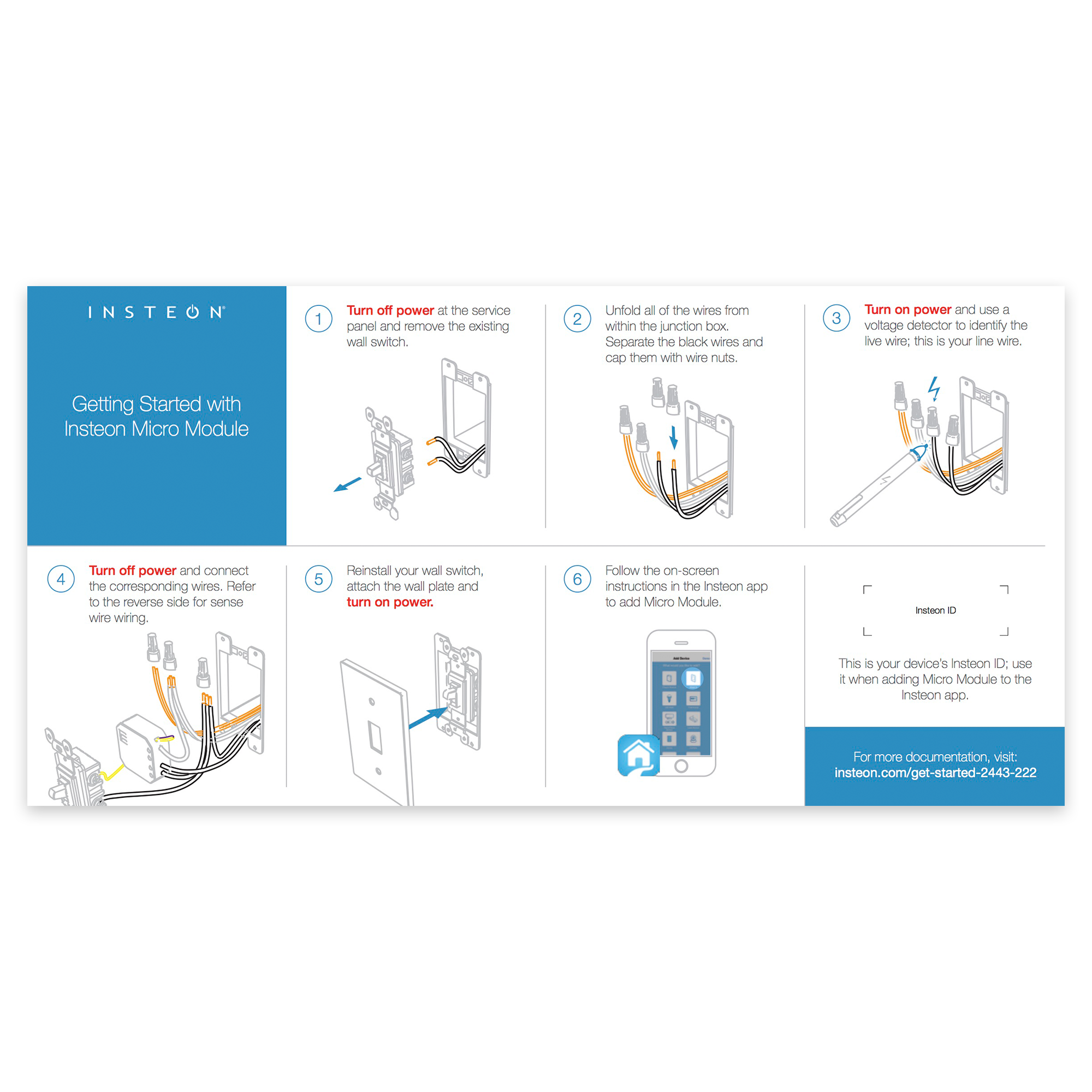
Dimmer Micro Module - Quick Start Guide

Dimmer Module - Quick Start Guide

On/Off Plug Setup
Getting Started

Turn on your lamp or appliance and connect its power cord to On/Off Plug.

Plug On/Off Plug into a power outlet.
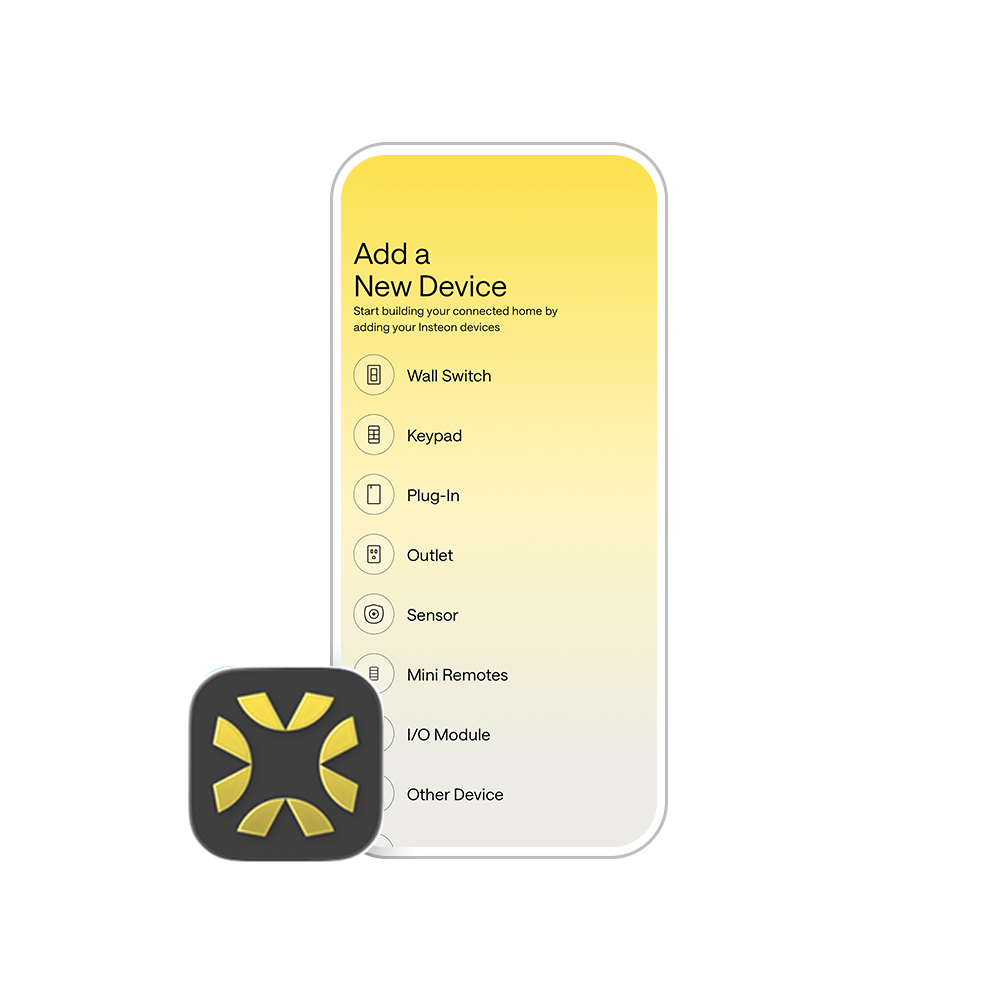
Follow the on-screen instructions in the Insteon Director app to add On/Off Plug. Insteon Hub required and sold separately.
Setting up without a hub? No, problem. Check out our manual configuration instructions.
Guides and Manuals
Quick Start Guide
Featured


Owner's Manual
Featured

Going Further
Featured




Dimmer Plug Setup
Getting Started

Turn on your lamp and connect its power cord to Dimmer Plug.

Plug Dimmer Plug into a power outlet.
Follow the on-screen instructions in the Insteon Director app to add Dimmer Plug. Insteon Hub required and sold separately.
Setting up without a hub? No, problem. Check out our manual configuration instructions.
Bulb Compatibility

Only use dimmable bulbs with Insteon Dimmer Plug
Guides and Manuals
Quick Start Guide
Featured


Owner's Manual
Featured
Going Further
Featured
Get Started with Smart Lights and Control Switches
Indoor Light Controller Setup Guide
Get Started with Remote Control Outdoor Lights
Dimmer Outlet Setup
Getting Started

Turn off power at the service panel and remove the existing wall outlet.

Connect the corresponding wires from the junction box to the Insteon Wall Outlet and cap them with wire nuts.
if your outlet's wires do not match the diagram, consult the additional wiring diagrams available below.

Install the Insteon Wall Outlet, attach the wall plate and turn on power.
Follow the on-screen instructions in the Insteon Director app to add Dimmer Outlet. Insteon Hub required and sold separately.
Setting up without a hub? No, problem. Check out our manual configuration instructions.

When prompted, press and hold Dimmer Outlet's set button until you hear a double beep.
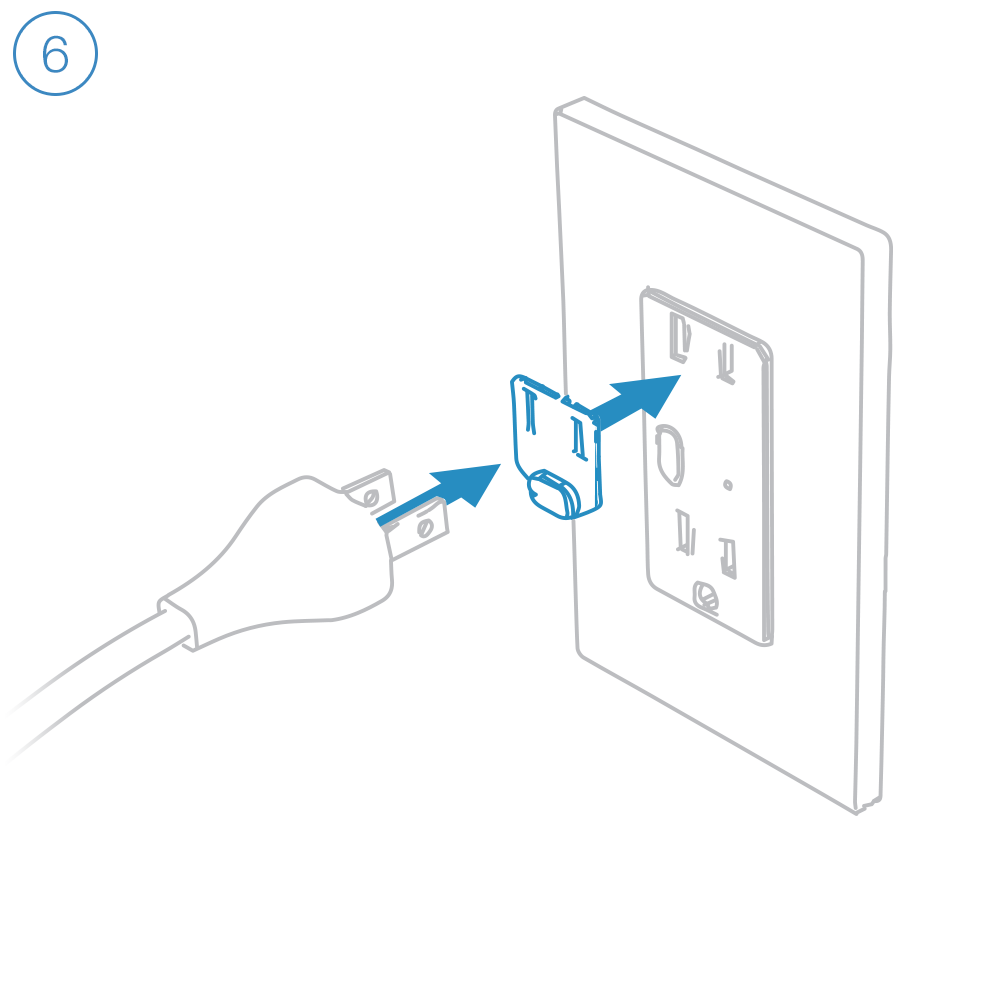
Dimmer Outlet requires that the Outlet Dimmer Key be fitted to any plug connected to the top, dimmable outlet.
Bulb Compatibility

Only connect lamps with dimmable bulbs to Dimmer Outlet's upper outlet.
Guides and Manuals
Quick Start Guides
Featured

Owner's Manuals
Featured

Wiring Diagrams
End of Run Outlet
Connect the Line, Neutral and Ground wires.

Middle of Run Outlet
Connect the Line, Neutral and Ground wires. If your old outlet connected to ground with a pigtail, you can discard it.

Switched Outlet
Connect the Line, Neutral and Ground wires. Disconnect and cap the switched wire (usually red).
In this configuration, the wall switch that controls this outlet will no longer function. If you would like to preserve control of your outlet from the wall switch, replace the switch with Insteon Wall Switch.
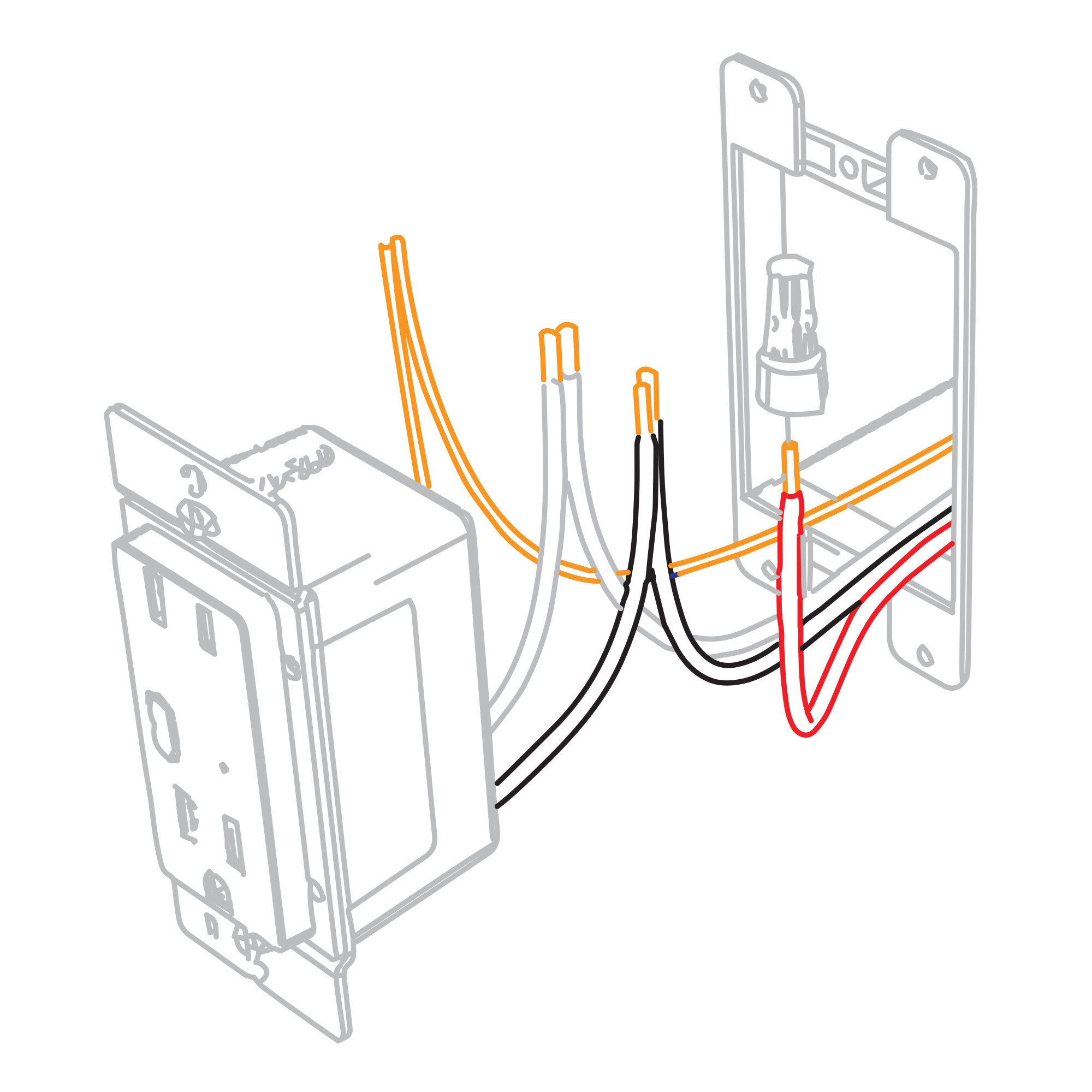
In the junction box that houses the wall switch, replace the standard switch with an Insteon Wall Switch. Connect the Line, Neutral and Ground wires. Cap the switched wire (usually red). Cap the red load wire on the Insteon Switch.
After wiring is complete, link the Insteon Wall Outlet and Wall Switch together.
Turn on both the Insteon Outlet and the Insteon Wall Switch. On Insteon Wall Switch, press and hold the set button until Wall Switch beeps.
On Insteon Wall Outlet, press and hold the set button until Wall Outlet double-beeps.
On Insteon Wall Outlet, press and hold the set button again until Wall Outlet beeps.
On Insteon Wall Switch, press and hold the set button until Wall Switch double-beeps.

Basic Troubleshooting
On/Off Outlet Setup
Getting Started

Turn off power at the service panel and remove the existing wall outlet.

Connect the corresponding wires from the junction box to the Insteon Wall Outlet and cap them with wire nuts.
If your outlet wires do not match the diagram, consult the detailed wiring instructions.

Install the Insteon Wall Outlet, attach the wall plate and turn on power.
Follow the on-screen instructions in the Insteon Director app to add On/Off Outlet. Insteon Hub required and sold separately.
Setting up without a hub? No, problem. Check out our manual configuration instructions.

When prompted, press and hold On/Off Outlet's set button until you hear a double beep.
Guides and Manuals
Quick Start Guides
Featured

Owner's Manuals
Featured

Wiring Diagrams
End of Run Outlet
Connect the Line, Neutral and Ground wires.
Middle of Run Outlet
Connect the Line, Neutral and Ground wires. If your old outlet connected to ground with a pigtail, you can discard it.
Switched Outlet
Connect the Line, Neutral and Ground wires. Disconnect and cap the switched wire (usually red).
In this configuration, the wall switch that controls this outlet will no longer function. If you would like to preserve control of your outlet from the wall switch, replace the switch with Insteon Wall Switch.

In the junction box that houses the wall switch, replace the standard switch with an Insteon Wall Switch. Connect the Line, Neutral and Ground wires. Cap the switched wire (usually red). Cap the red load wire on the Insteon Switch.
After wiring is complete, link the Insteon Wall Outlet and Wall Switch together.
Turn on both the Insteon Outlet and the Insteon Wall Switch. On Insteon Wall Switch, press and hold the set button until Wall Switch beeps.
On Insteon Wall Outlet, press and hold the set button for the outlet that you would like to control until Wall Outlet double-beeps.
On Insteon Wall Outlet, press and hold the same set button until Wall Outlet beeps.
On Insteon Wall Switch, press and hold the set button until Wall Switch double-beeps.